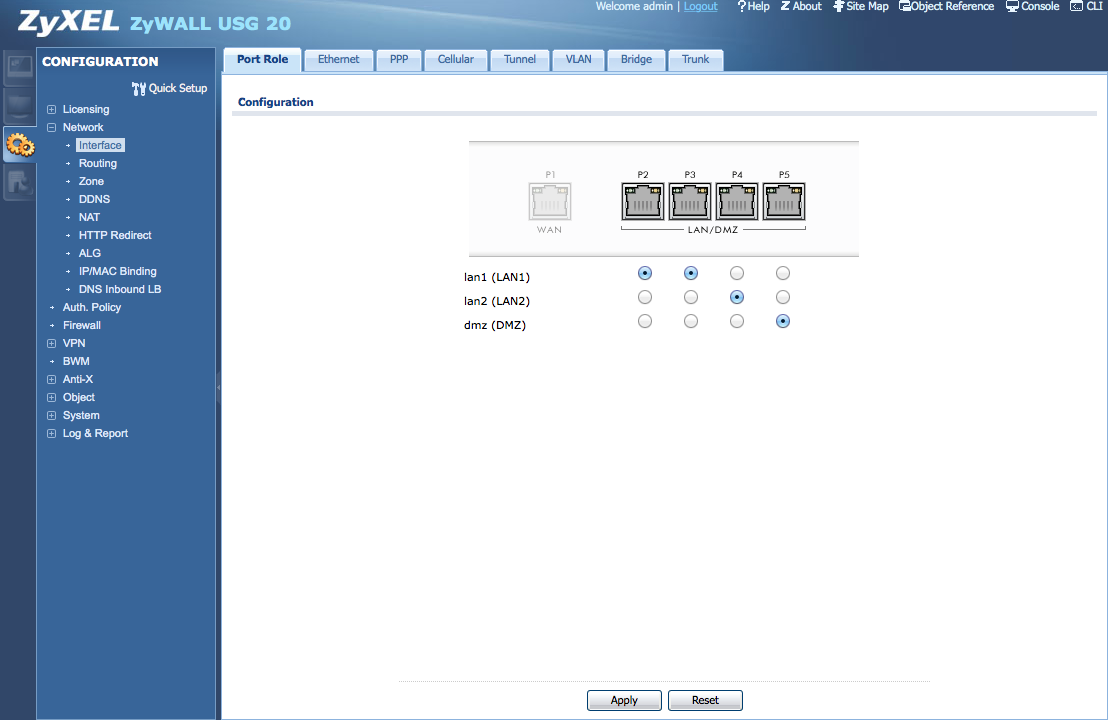
ZyWALL USG 20 - Découverte
Vue de la face arrière de l’USG 20
 -------------------------------------------------------------------------
|                                                                         |
|                     P1       P2   P3   P4   P5            12V, 1.5A     |
|       ----    --   ----     -------------------             ---         |
|      |    |  |I | |    |   |    |    |    |    |     *     |   |        |
|       ----    --   ----     -------------------             ---         |
|     Console   USB   WAN    <----- LAN/DMZ ----->   RESET   POWER        |
 -------------------------------------------------------------------------
Démarrage de l’USG 20
Schéma du montage
 -------------------------------------------------------------------------
|                                                                         |
|                     P1       P2   P3   P4   P5            12V, 1.5A     |
|       ----    --   ----     -------------------             ---         |
|      | xx |  |I | |    |   | xx |    |    |    |     *     |   |        |
|       ----    --   ----     -------------------             ---         |
|     Console   USB   WAN    <  ^   LAN/DMZ ----->   RESET   POWER        |
 -----------------------------  |  ---------------------------------------
         ^                      |
         |                      |  cable réseau
         |                      |  Connecté sur P2
         |                      |  => Utilisation du LAN1
 Cable   |                      |
 Console |        -------------------
         |       |                   |
         |_______|   Ordinateur      |
                 |   de bureau.      |
                 |                   |
                 |   192.168.1.11/24 |
                  -------------------
Observation du démarrage, sur le terminal (Console)
Warning
Démarrage du ZyWALL USG 20
- Dès la mise sous tension le voyant PWR passe au vert.
- Le voyant SYS clignote en vert au départ. Puis lorsqu’il à terminé son cycle de mise en route, il reste au vert fixe.
Trace écran du cycle de démarrage:
FLASH: AMD 16M

BootModule Version: V1.17 | 12/01/2011 05:20:17
DRAM: Size = 256 Mbytes

Kernel Version: V2.6.25.4 | 2013-10-16 17:57:16
ZLD Version: V3.30(BDQ.2) | 2013-10-17 15:42:36

Press any key to enter debug mode within 1 seconds.
.....................


BM cmd line: console=ttyS0,115200 root=/dev/ram init=zyinit "-r /dev/sda", address: 00

Uncompressing Linux...done.
Start to check file system...
/dev/sda2: 32/16488 files (0.0% non-contiguous), 60565/65888 blocks
/dev/sda3: 83/9280 files (2.4% non-contiguous), 9836/37120 blocks
Done

INIT: version 2.86 booting
Initializing Debug Account Authentication Seed (DAAS)... done.
Setting the System Clock using the Hardware Clock as reference...System Clock set. Lo5
INIT: Entering runlevel: 3
Starting zylog daemon: zylogd zylog starts.
Starting syslog-ng.
Starting ZLD Wrapper Daemon....
Starting uam daemon.
Starting myzyxel daemon.
Starting periodic command scheduler: cron.
Start ZyWALL system daemon....
.......................................
Got LINK_CHANGE
Port [1] Copper is up --> Group [1] is up
..........................................Applying system configuration file, please .
.............................ZyWALL system is configured successfully with startup-cof

Welcome to ZyWALL USG 20

Username:
Se connecter au routeur
Username: admin
Password:        <<<<<<<<<<  1234
Router>
Commande show ip route
La table de routage:
Router> enable
Router# show ip route
Flags: A - Activated route, S - Static route, C - directly Connected
       O - OSPF derived, R - RIP derived, G - selected Gateway
       ! - reject, B - Black hole, L - Loop

IP Address/Netmask    Gateway          IFace           Metric    Flags    Persist
===============================================================================
127.0.0.0/8           0.0.0.0          lo              0         ACG      -
192.168.1.0/24        0.0.0.0          lan1            0         ACG      -
192.168.2.0/24        0.0.0.0          lan2            0         ACG      -
192.168.3.0/24        0.0.0.0          dmz             0         ACG      -
Router#
Note
On remarque les réseaux lan1, lan2 et dmz
Commande show dhcp status all
Router> enable
Router# configure terminal
Router(config)# show dhcp status all
No. Interface       DHCP Status
===============================================================================
1   wan1            none
2   lan1            DHCP server
3   lan2            DHCP server
4   dmz             DHCP server
Router(config)#
Note
Il y a un serveur DHCP déjà configuré sur les réseaux lan1, lan2 et dmz. Seul réseau extérieur Wan1 n’a pas de DHCP..
Commande show interface all
Router> show interface all
No. Name            Status              IP Address      Mask            IP Assignment
===============================================================================
1   wan1            Down                0.0.0.0         0.0.0.0         DHCP client
2   lan1            Up                  192.168.1.1     255.255.255.0   Static
3   lan2            Down                192.168.2.1     255.255.255.0   Static
4   dmz             Down                192.168.3.1     255.255.255.0   Static
Router>
Commande show port-grouping
Router(config)# show port-grouping
No. Representative Name  Port1 Port2 Port3 Port4 Port5
===============================================================================
1   wan1                 yes   no    no    no    no
2   lan1                 no    yes   yes   no    no
3   lan2                 no    no    no    yes   no
4   dmz                  no    no    no    no    yes
Router(config)#
Commande show port status
Router(config)# show port status
Port Status     TxPkts     RxPkts     Colli.  TxB/s      RxB/s      Up Time
===============================================================================
1    Down       0          0          0       0          0          00:00:00
2    1000M/Full 9966       10729      0       0          0          01:17:20
3    Down       0          0          0       0          0          00:00:00
4    Down       0          0          0       0          0          00:00:00
5    Down       0          0          0       0          0          00:00:00
Router(config)#
Commande show running-config
Warning
Beaucoup, beaucoup d’infos affichées (contrairement à un routeur classique).
Note
On peut taper la commande show running-config | more pour afficher
les infos page / page.
Router# show running-config
!
!
hardware-watchdog-timer 10
!
software-watchdog-timer 300
!
interface-name ge1 wan1
interface-name ge2 lan1
interface-name ge3 lan2
interface-name ge4 dmz
!
username admin encrypted-password $4$WliGKvFQ$yMEH/WCnH1+NXuIUp0lzpUinIyEnrHFoRgesi6Nn
!
port-grouping lan1
 port 2
 port 3
!
port-grouping lan2
 port 4
!
port-grouping dmz
 port 5
!
account pppoe WAN1_PPPoE_ACCOUNT
!
ip dhcp pool LAN1_POOL
 network 192.168.1.0/24
 default-router 192.168.1.1
 first-dns-server ZyWALL
 starting-address 192.168.1.33 pool-size 200
 lease 2
!
ip dhcp pool LAN2_POOL
 network 192.168.2.0/24
 default-router 192.168.2.1
 first-dns-server ZyWALL
 starting-address 192.168.2.33 pool-size 200
 lease 2
!
ip dhcp pool DMZ_POOL
 network 192.168.3.0/24
 default-router 192.168.3.1
 starting-address 192.168.3.33 pool-size 200
 first-dns-server ZyWALL
 lease 2
!
interface wan1
 ip address dhcp
 type external
!
interface lan1
 ip address 192.168.1.1 255.255.255.0
 ip dhcp-pool LAN1_POOL
 type internal
!
interface lan2
 ip address 192.168.2.1 255.255.255.0
 ip dhcp-pool LAN2_POOL
 type internal
!
interface dmz
 ip address 192.168.3.1 255.255.255.0
 ip dhcp-pool DMZ_POOL
 type internal
!
interface wan1_ppp
 account WAN1_PPPoE_ACCOUNT
!
address-object LAN1_SUBNET interface-subnet lan1
address-object LAN2_SUBNET interface-subnet lan2
address-object DMZ_SUBNET interface-subnet dmz
address-object IP6to4-Relay 192.88.99.1
!
service-object Any_UDP udp range 1 65535
service-object Any_TCP tcp range 1 65535
service-object AH protocol 51
service-object AIM tcp eq 5190
service-object NEW_ICQ tcp eq 5190
service-object AUTH tcp eq 113
service-object BGP tcp eq 179
service-object BOOTP_CLIENT udp eq 68
service-object BOOTP_SERVER udp eq 67
service-object CAPWAP-CONTROL udp eq 5246
service-object CAPWAP-DATA udp eq 5247
service-object CU_SEEME_TCP1 tcp eq 7648
service-object CU_SEEME_TCP2 tcp eq 24032
service-object CU_SEEME_UDP1 udp eq 7648
service-object CU_SEEME_UDP2 udp eq 24032
service-object DNS_TCP tcp eq 53
service-object DNS_UDP udp eq 53
service-object ESP protocol 50
service-object FINGER tcp eq 79
service-object FTP tcp range 20 21
service-object GRE protocol 47
service-object H323 tcp eq 1720
service-object HTTP tcp eq 80
service-object HTTPS tcp eq 443
service-object ICQ udp eq 4000
service-object IKE udp eq 500
service-object IMAP4 tcp eq 143
service-object IMAP4S tcp eq 993
service-object IP6to4 protocol 41
service-object IRC_TCP tcp eq 6667
service-object IRC_UDP udp eq 6667
service-object MSN tcp eq 1863
service-object MULTICAST protocol 2
service-object NEWS tcp eq 144
service-object NetBIOS_TCP1 tcp range 137 139
service-object NetBIOS_TCP2 tcp eq 445
service-object NetBIOS_UDP1 udp range 137 139
service-object NetBIOS_UDP2 udp eq 445
service-object NFS udp eq 2049
service-object NNTP tcp eq 119
service-object NTP udp eq 123
service-object PING icmp echo
service-object POP3 tcp eq 110
service-object POP3S tcp eq 995
service-object PPTP tcp eq 1723
service-object PPTP_TUNNEL protocol 47
service-object RCMD tcp eq 512
service-object RDP tcp eq 3389
service-object REAL-AUDIO tcp eq 7070
service-object REXEC tcp eq 514
service-object RLOGIN tcp eq 513
service-object ROADRUNNER_TCP tcp eq 1026
service-object ROADRUNNER_UDP udp eq 1026
service-object RTELNET tcp eq 107
service-object RTSP_TCP tcp eq 554
service-object RTSP_UDP udp eq 554
service-object SFTP tcp eq 115
service-object SMTP tcp eq 25
service-object SMTPS tcp eq 465
service-object SNMP_TCP tcp eq 161
service-object SNMP_UDP udp eq 161
service-object SNMP-TRAPS_TCP tcp eq 162
service-object SNMP-TRAPS_UDP udp eq 162
service-object SQL-NET tcp eq 1521
service-object SSDP udp eq 1900
service-object SSH_TCP tcp eq 22
service-object SSH_UDP udp eq 22
service-object STRMWORKS udp eq 1558
service-object SYSLOG udp eq 514
service-object TACACS udp eq 49
service-object TELNET tcp eq 23
service-object TFTP udp eq 69
service-object VDOLIVE tcp eq 7000
service-object VRRP protocol 112
service-object NATT udp eq 4500
service-object RIP udp eq 520
service-object OSPF protocol 89
service-object SIP udp eq 5060
service-object Kerberos-TCP tcp eq 88
service-object MS-RPC tcp eq 135
service-object LDAP-TCP tcp eq 389
service-object LPR tcp eq 515
service-object LDAPS-TCP tcp eq 636
service-object VNC5800 tcp eq 5800
service-object VNC5900 tcp eq 5900
service-object Kerberos-UDP udp eq 88
service-object LDAP-UDP udp eq 389
service-object LDAPS-UDP udp eq 636
service-object L2TP-UDP udp eq 1701
service-object RADIUS-AUTH udp eq 1812
service-object RADIUS-ACCT udp eq 1813
service-object BONJOUR udp eq 5353
service-object ICMPv6_RS icmpv6 router-solicitation
service-object ICMPv6_RA icmpv6 router-advertisement
service-object ICMPv6_NS icmpv6 neighbor-solicitation
service-object ICMPv6_NA icmpv6 neighbor-advertisement
service-object ICMPv6_MLD_Query icmpv6 130
service-object ICMPv6_MLD_Report icmpv6 131
service-object ICMPv6_MLD_Done icmpv6 132
service-object ICMPv6_MLD_v2 icmpv6 143
service-object DHCPv6_CLIENT udp eq 546
service-object DHCPv6_SERVER udp eq 547
!
object-group service CU-SEEME
 service-object CU_SEEME_TCP1
 service-object CU_SEEME_TCP2
 service-object CU_SEEME_UDP1
 service-object CU_SEEME_UDP2
!
object-group service DNS
 service-object DNS_TCP
 service-object DNS_UDP
!
object-group service IRC
 service-object IRC_TCP
 service-object IRC_UDP
!
object-group service NetBIOS
 service-object NetBIOS_TCP1
 service-object NetBIOS_TCP2
 service-object NetBIOS_UDP1
 service-object NetBIOS_UDP2
!
object-group service ROADRUNNER
 service-object ROADRUNNER_TCP
 service-object ROADRUNNER_UDP
!
object-group service RTSP
 service-object RTSP_TCP
 service-object RTSP_UDP
!
object-group service SNMP
 service-object SNMP_TCP
 service-object SNMP_UDP
!
object-group service SNMP-TRAPS
 service-object SNMP-TRAPS_TCP
 service-object SNMP-TRAPS_UDP
!
object-group service SSH
 service-object SSH_TCP
 service-object SSH_UDP
!
object-group service Default_Allow_ICMPv6_Group
 description Default Allow icmpv6 to ZyWALL
 service-object ICMPv6_MLD_Done
 service-object ICMPv6_MLD_Query
 service-object ICMPv6_MLD_Report
 service-object ICMPv6_MLD_v2
 service-object ICMPv6_NA
 service-object ICMPv6_NS
 service-object ICMPv6_RA
 service-object ICMPv6_RS
!
object-group service Default_Allow_WAN_To_ZyWALL
 description System Default Allow From WAN To ZyWALL
 service-object AH
 service-object ESP
 service-object HTTPS
 service-object IKE
 service-object NATT
 service-object GRE
 service-object VRRP
!
object-group service Default_Allow_DMZ_To_ZyWALL
 description System Default Allow From DMZ To ZyWALL
 object-group DNS
 object-group NetBIOS
!
object-group service Default_Allow_v6_WAN_To_ZyWALL
 service-object AH
 service-object ESP
 service-object HTTPS
 service-object IKE
 service-object VRRP
 service-object GRE
 description System Default Allow IPv6 Form WAN To ZyWALL
!
object-group service Default_Allow_v6_DMZ_To_ZyWALL
 description System Default Allow IPv6 From DMZ to ZyWALL
 object-group DNS
 object-group NetBIOS
!
object-group service DHCPv6
 service-object DHCPv6_CLIENT
 service-object DHCPv6_SERVER
!
object-group service Default_Allow_v6_any_to_ZyWALL
 description System Default Allow IPv6 From any To ZyWALL
 object-group Default_Allow_ICMPv6_Group
!
eps warning-message windows-auto-update
 enable
!
eps warning-message windows-security-patch
 enable
!
eps warning-message personal-firewall
 enable
!
eps warning-message anti-virus
 enable
!
isakmp policy Default_L2TP_VPN_GW
 mode main
 transform-set 3des-sha 3des-md5 des-sha
 lifetime 86400
 local-ip interface wan1
 peer-ip 0.0.0.0 0.0.0.0
 authentication pre-share
 encrypted-keystring $4$rhdKEQiw$Q08czjuCkL6bi4vimHEA5ZAiuWaHCH4gx/SUO+kZjIwPpl1NQTlF$
 local-id type ip 0.0.0.0
 peer-id type any
 xauth type server default deactivate
 group2
 deactivate
!
crypto map Default_L2TP_VPN_Connection
 ipsec-isakmp Default_L2TP_VPN_GW
 encapsulation transport
 transform-set esp-3des-sha esp-3des-md5 esp-des-sha
 set security-association lifetime seconds 86400
 set pfs none
 scenario remote-access-server
 adjust-mss auto
 deactivate
 remote-policy any
!
vpn-configuration-provision authentication default
!
zone LAN1
 interface lan1
!
zone LAN2
 interface lan2
!
zone WAN
 interface wan1
 interface wan1_ppp
 block
!
zone DMZ
 interface dmz
 block
!
zone SSL_VPN
!
zone IPSec_VPN
 crypto Default_L2TP_VPN_Connection
!
zone TUNNEL
!
ip http server
!
ip http secure-server cert default
ip http secure-server
ip http secure-server force-redirect
ip http secure-server cipher-suite aes 3des des rc4
!
hostname zywall-usg-20
!
ip ssh server cert default
ip ssh server
!
console baud 115200
!
ip ftp server cert default
ip ftp server
!
ntp
!
snmp-server
!
ip load-balancing link-sticking activate
!
firewall 1
 from LAN1
 action allow
!
firewall 2
 from LAN2
 action allow
!
firewall 3
 from DMZ
 to WAN
 action allow
!
firewall 4
 from IPSec_VPN
 action allow
!
firewall 5
 from SSL_VPN
 action allow
!
firewall 6
 from TUNNEL
 action allow
!
firewall 7
 from LAN1
 to ZyWALL
 action allow
!
firewall 8
 from LAN2
 to ZyWALL
 action allow
!
firewall 9
 from DMZ
 to ZyWALL
 action allow
 service Default_Allow_DMZ_To_ZyWALL
!
firewall 10
 from WAN
 to ZyWALL
 service Default_Allow_WAN_To_ZyWALL
 action allow
!
firewall 11
 from IPSec_VPN
 to ZyWALL
 action allow
!
firewall 12
 from SSL_VPN
 to ZyWALL
 action allow
!
firewall 13
 from TUNNEL
 to ZyWALL
 action allow
!
firewall default-rule action deny log
!
firewall6 1
 to ZyWALL
 service Default_Allow_v6_any_to_ZyWALL
 action allow
!
firewall6 2
 from LAN1
 action allow
!
firewall6 3
 from LAN2
 action allow
!
firewall6 4
 from DMZ
 to WAN
 action allow
!
firewall6 5
 from IPSec_VPN
 action allow
!
firewall6 6
 from SSL_VPN
 action allow
!
firewall6 7
 from TUNNEL
 action allow
!
firewall6 8
 from LAN1
 to ZyWALL
 action allow
!
firewall6 9
 from LAN2
 to ZyWALL
 action allow
!
firewall6 10
 from DMZ
 to ZyWALL
 service Default_Allow_v6_DMZ_To_ZyWALL
 action allow
!
firewall6 11
 from WAN
 to ZyWALL
 service Default_Allow_v6_WAN_To_ZyWALL
 action allow
!
firewall6 12
 from IPSec_VPN
 to ZyWALL
 action allow
!
firewall6 13
 from SSL_VPN
 to ZyWALL
 action allow
!
firewall6 14
 from TUNNEL
 to ZyWALL
 action allow
!
firewall6 default-rule action deny log
!
session-limit activate
session-limit limit 1000
!
session-limit6 activate
session-limit6 limit 1000
!
idp anomaly ADP_PROFILE base all
 flood-detection tcp-flood block
 flood-detection udp-flood block
 flood-detection icmp-flood block
 flood-detection ip-flood block
 flood-detection icmp-flood threshold 1000
 flood-detection ip-flood threshold 1000
 flood-detection tcp-flood threshold 1000
 flood-detection udp-flood threshold 1000
 scan-detection sensitivity medium
 scan-detection block-period 5
 flood-detection block-period 5
!
idp anomaly rule 1
 from-zone any
 to-zone LAN1
 bind ADP_PROFILE
 activate
!
idp anomaly rule 2
 from-zone any
 to-zone LAN2
 bind ADP_PROFILE
 activate
!
idp anomaly rule 3
 from-zone any
 to-zone DMZ
 bind ADP_PROFILE
 activate
!
idp anomaly rule 4
 from-zone any
 to-zone ZyWALL
 bind ADP_PROFILE
 activate
!
no bwm activate
!
policy controll-ipsec-dynamic-rules activate
!
app SMTP defaultport 25
!
app POP3 defaultport 110
!
app HTTP defaultport 80
app HTTP defaultport 8080
app HTTP defaultport 3128
!
users retry-limit
users retry-count 5
users lockout-period 30
!
users update-lease automation
!
app-watch-dog activate
!
htm phase 1 add all
!
force-auth exceptional-service DNS
!
force-auth default-rule authentication unnecessary no log
!
no usb-storage activate
no diag-info copy usb-storage
!
no logging usb-storage
!
logging system-log suppression
logging system-log category forward-web-sites disable
!
logging mail 1 category all level all
!
logging mail 2 category all level all
!
vrpt send interface statistics interval 15
vrpt send system status interval 15
vrpt send device information interval 3600
!
Router#
Accès au ZyWALL USG 20 par l’inteface Web
Note
On se connecte cette fois-ci au routeur en utilisant le navigateur. L’accès au routeur se fait alors par l’interface lan1 (Port 2).
Depuis l’ordinateur de bureau d’adresse 192.168.1.11, on note l’ULR suivante:
http://192.168.1.1, pour accéder à l’interface Web du router.
Login
Warning
On est alors redirigé sur du HTTPS, et il faut renseigner la boîte de dialogue de connexion.
| login: | admin |
|---|---|
| password: | 1234 |
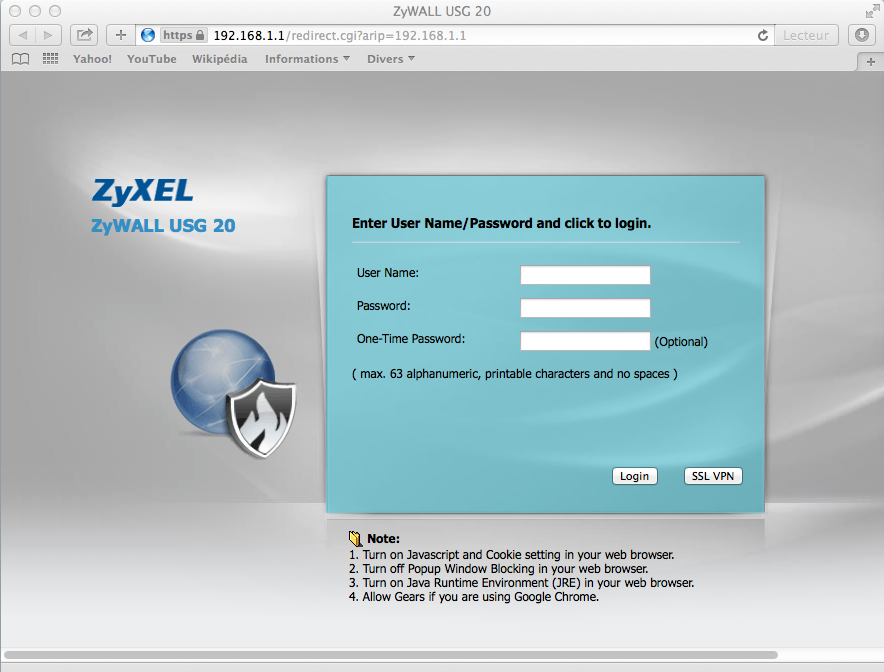
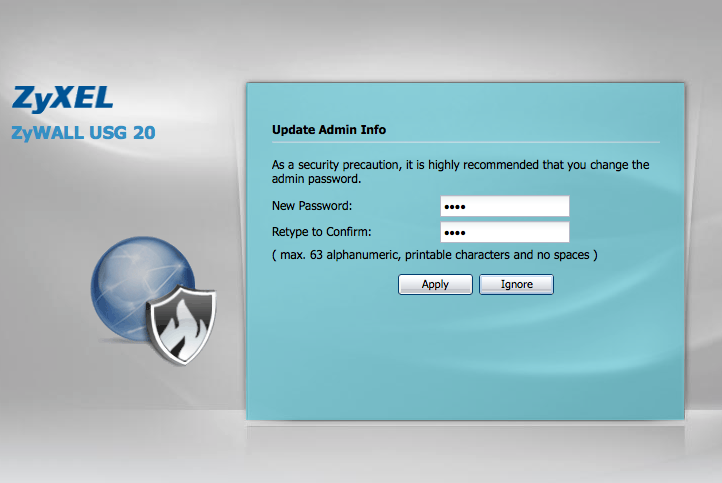
Ne pas changer le mot de passe
Comme on ne change pas le mot de passe (pour l’instant), on ignore la page suivante.
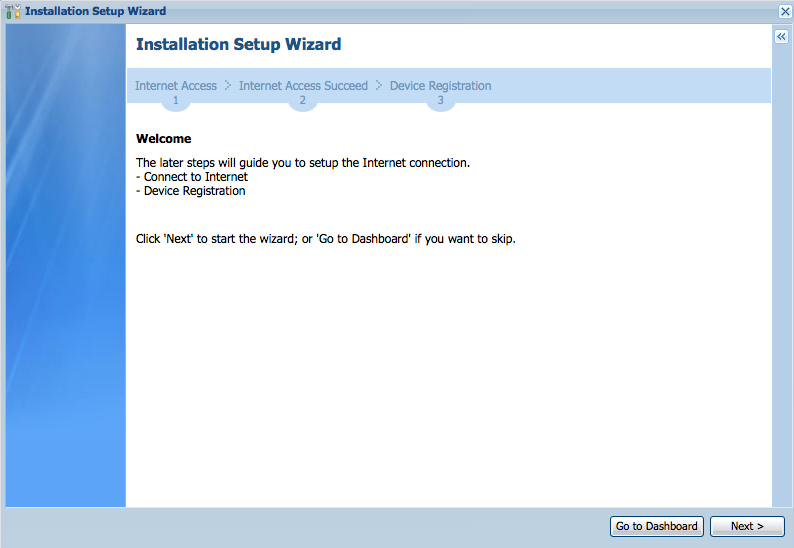
Page d’installation
Comme on ne configure pas le routeur, pour un accès direct à internet avec l’interface WAN, on ne suit pas la procédure d’installation présentée ci-dessous, et on passe directement au tableau de bord (Go to Dashboard).
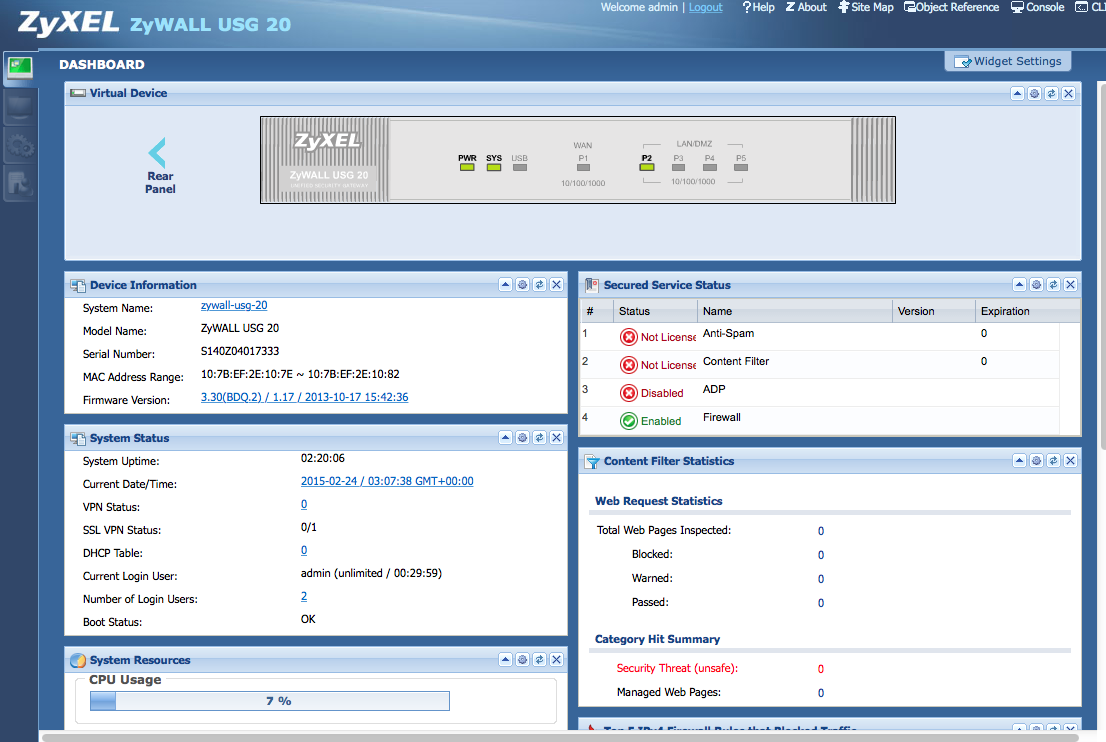
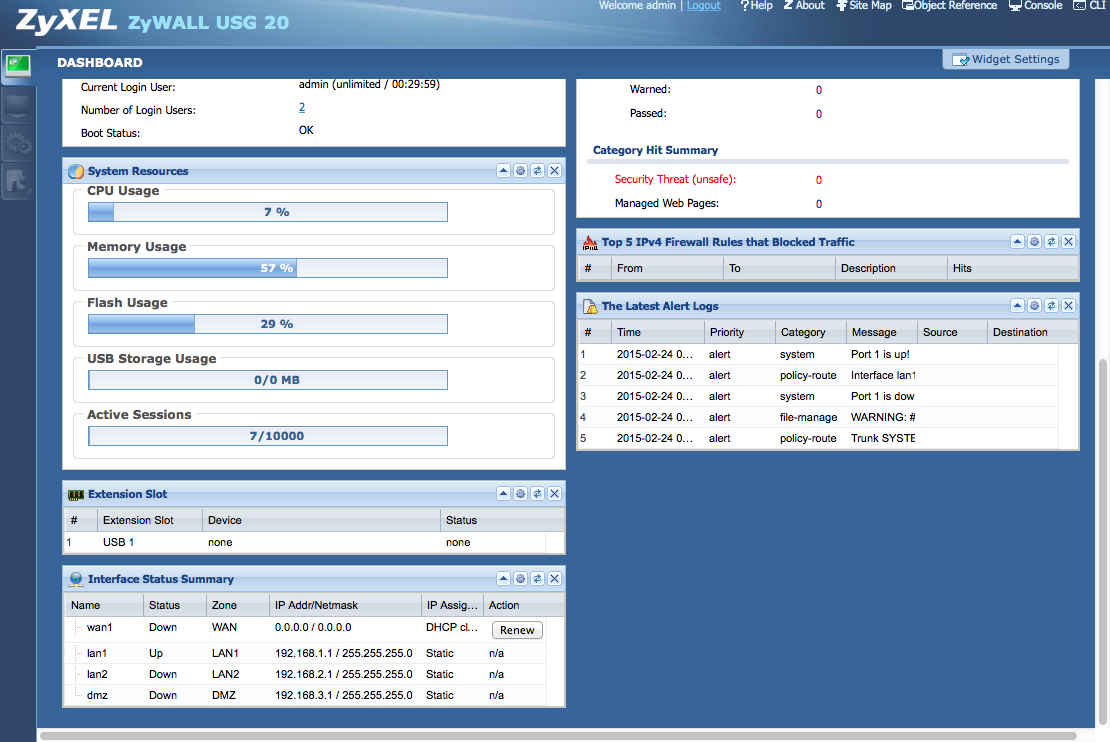
Puis on arrive (enfin) à la page d’accueil…
Haut de la page d’acceuil
Bas de la page d’acceuil
Le menu de configuration
Note
C’est le menu qui va nous intéresser particulièrement dans un premier temps, car il faudra pouvoir configurer le routeur.